For procurement and finance teams
See why an invoice is waiting.
Give procurement and finance one view of orders, receipts, invoice checks, cases and approvals. Apply payment rules and follow reconciliation with the audit history beside each decision.

Start with the question behind the delay
Documents do not match
A quantity or amount differs from the order or receipt. Open the finding and the supporting document before approving.
An approver is overdue
Identify the approval step that is open and route the conversation to its owner.
Where is this payment?
Finance follows the simulated payment reference, rules, recorded status and reconciliation result linked to the approved invoice.
Who made that call?
Find who made the decision, when they acted and the reason recorded in the invoice history.
The invoice and its history, together
Open the invoice to review its checks, purchase order and receipt. The approval chain identifies the next approver and the decisions already recorded.
Review an invoiceExplore approvals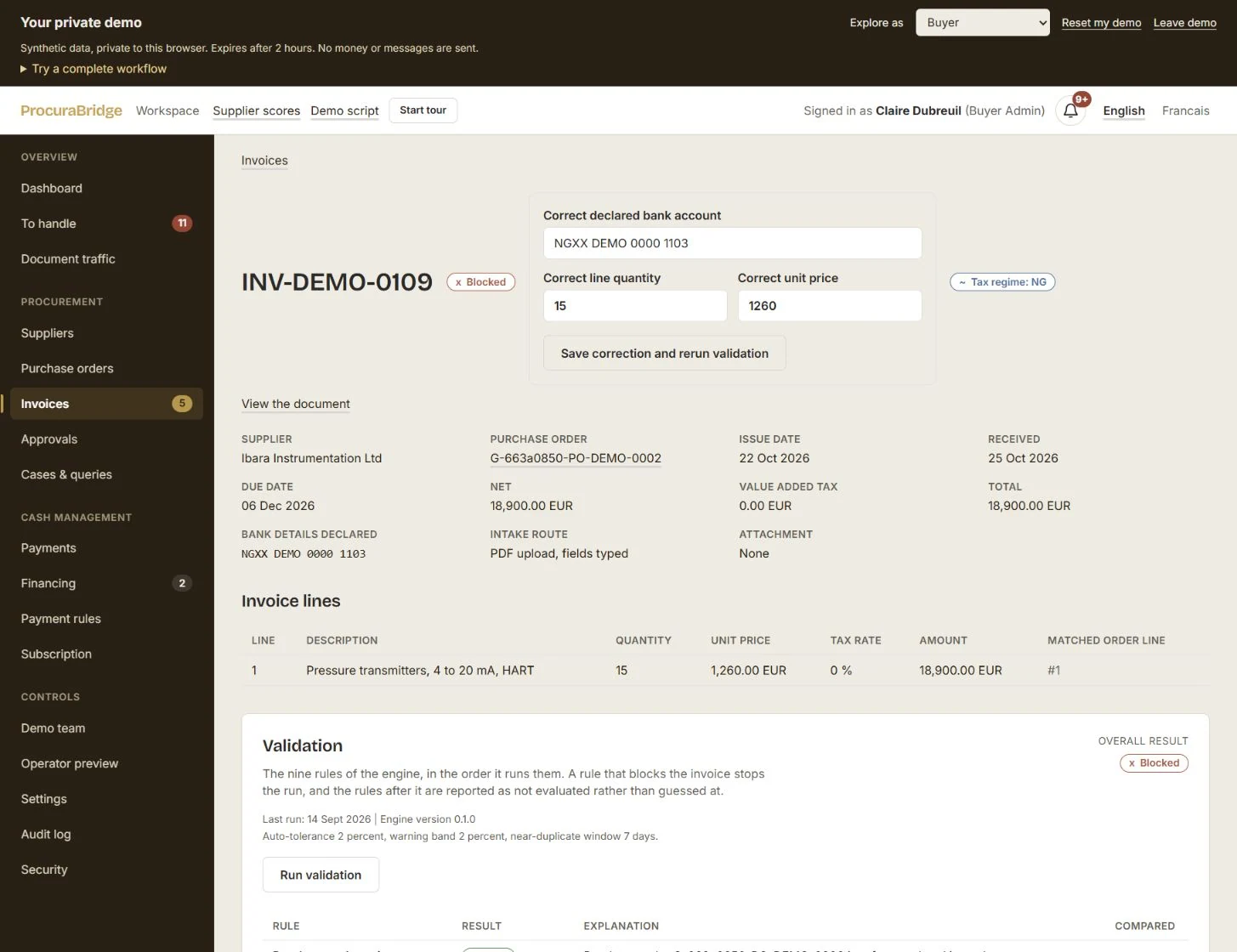
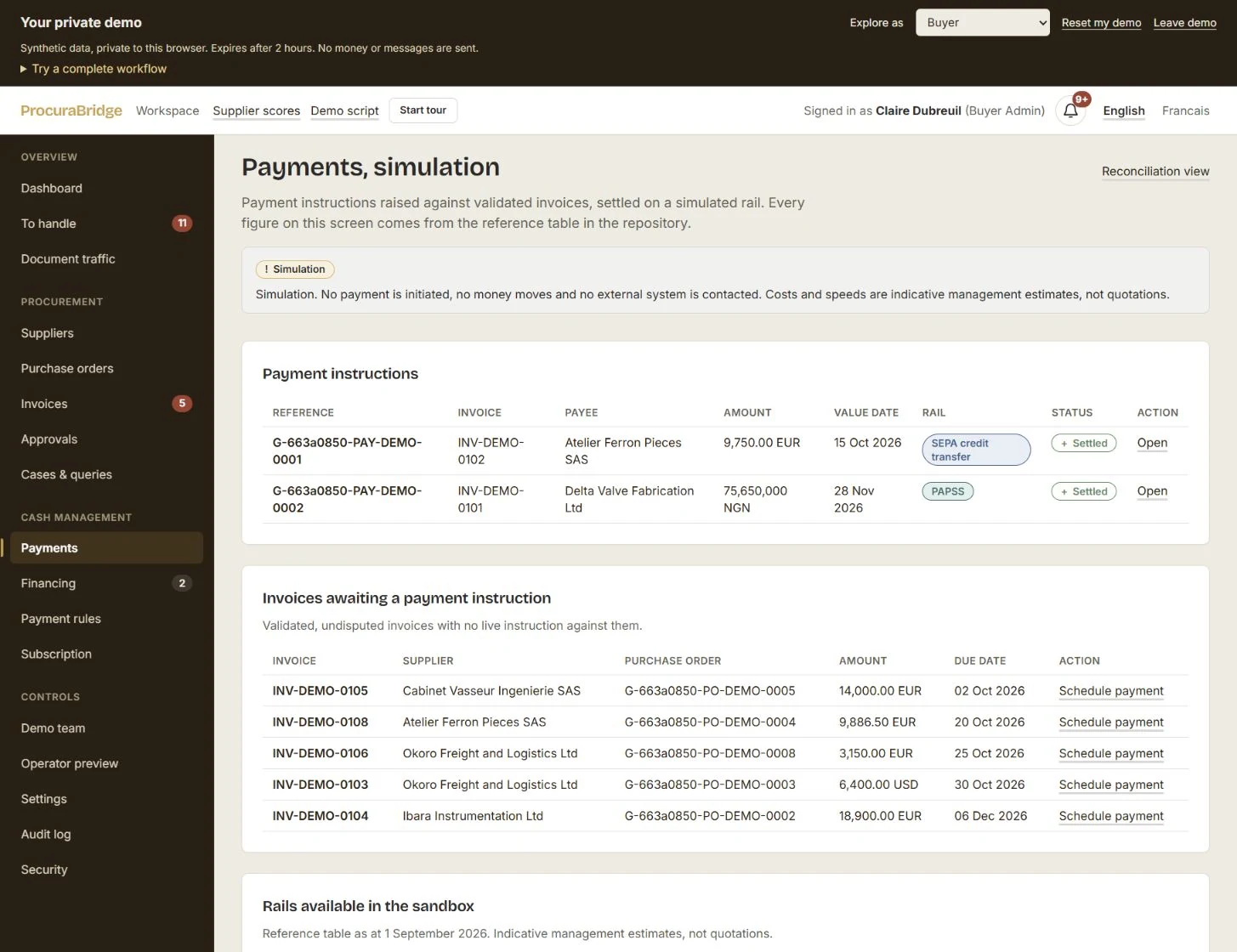
See whether it is approved or paid.
In the demo, Finance applies payment rules and follows a simulated instruction through its recorded outcome. Reconciliation links that result to the invoice and its audit history.
Explore payment trackingGive the next person the full context
Explore the connected record in the demo, then tell us which document checks and approvals your team would like to test in the France–Nigeria pilot.