The ProcuraBridge workflow
Follow the invoice. Keep the evidence.
Buyers, suppliers and finance teams work from linked procurement records. Follow an order through invoice checks, cases and approvals to payment control, reconciliation and audit history.
Start with what was ordered and received.
Create the purchase order with its supplier, line items and payment terms. Record the goods or services received. The invoice can then be checked against both records.
Purchase order
Supplier, quantities and agreed terms
Receipt
Quantities received, date and receiver
Invoice
Amounts and references to check
Make the next decision with the facts in view.
Validation flags differences in quantities, amounts or bank details. Teams can resolve the resulting case, route the invoice through approval steps and record each decision with its evidence.
If the invoice covers more than was received, the finding points back to the receipt. The buyer can correct the invoice and run the checks again.
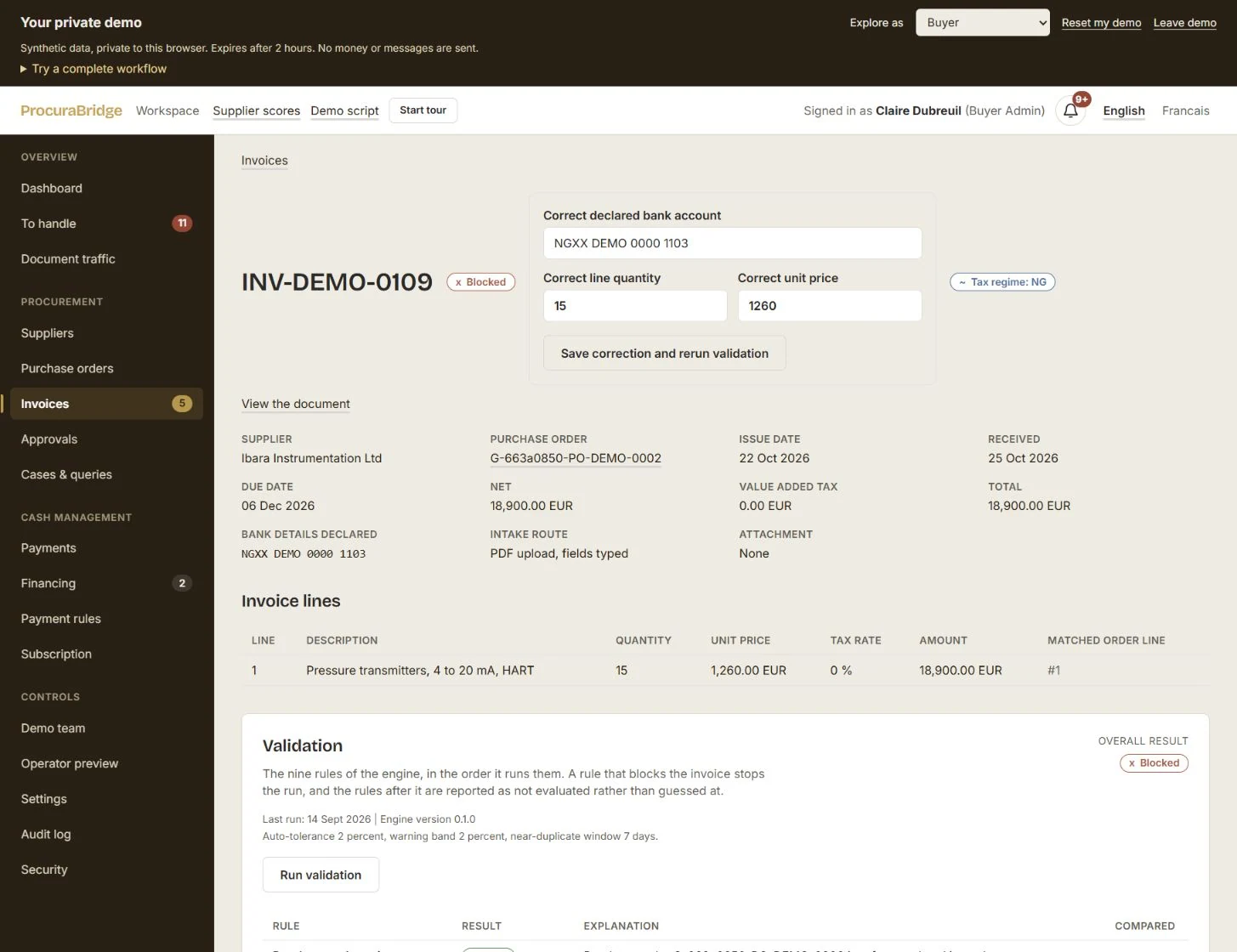
Carry the decision through to payment follow-up.
Finance can apply payment rules and follow the approved invoice through a simulated payment instruction, status and reconciliation record. The linked audit history keeps each decision in view.
When someone asks whether an invoice has been paid, follow its payment reference and reconciliation status. Approval and payment remain distinct stages.
Explore payment tracking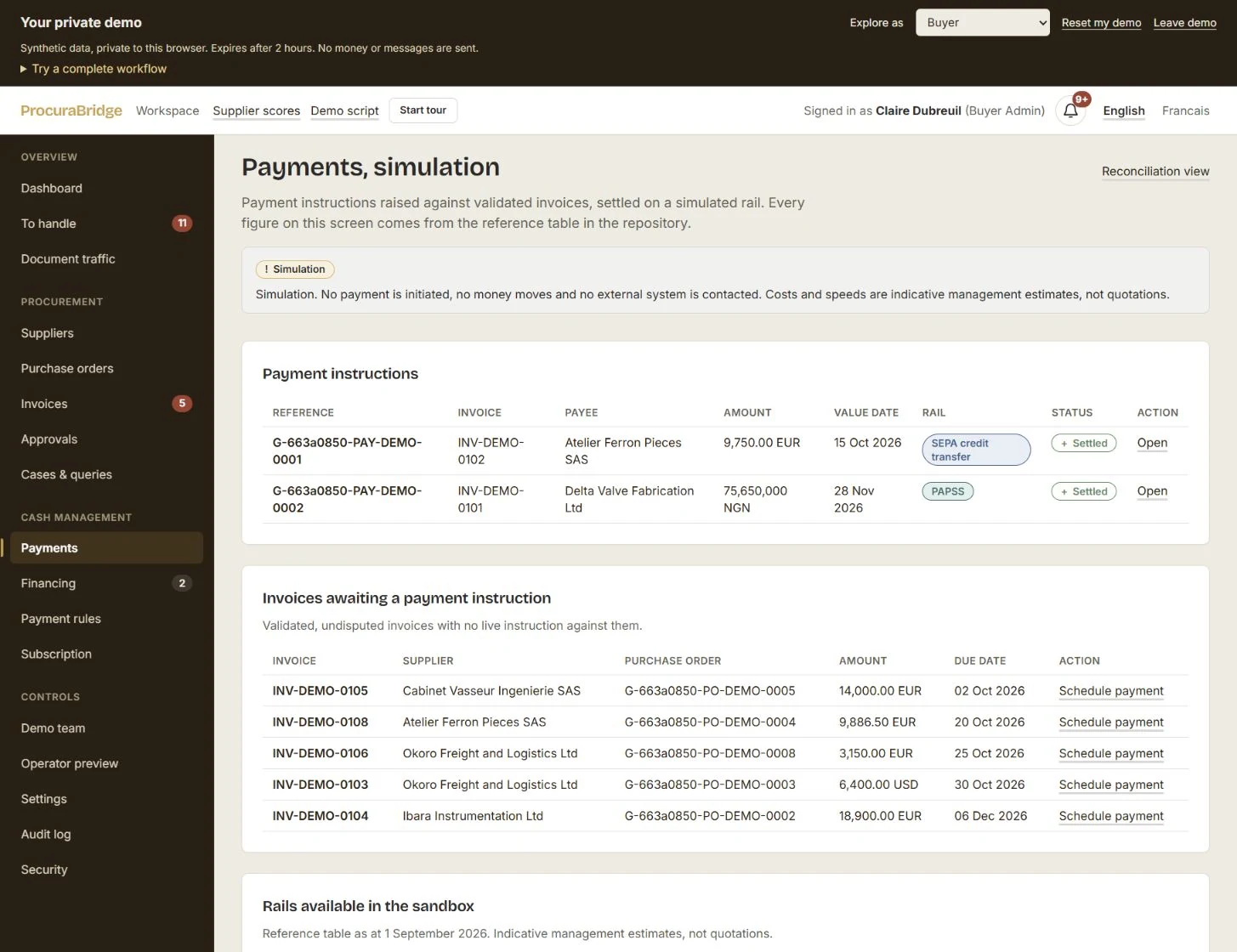
Keep the reason, not just the status.
The invoice timeline records actions and decisions. Revisit who approved an invoice, when they acted and the reason recorded, with the underlying order and receipt still in reach.
Go further in the demo
Explore simulated supplier signals and early-payment offers linked to the invoice. The demo does not execute payments or provide financing.
Bring your workflow to the first pilot.
Tell us your role, your organisation and where an invoice gets stuck. Leave your details to discuss participating in the France–Nigeria pilot.